| Dustin's profileBlogger See, Blogger Do ...PhotosBlogNetwork | Help |
Blogger See, Blogger Do :>)Always do right. This will gratify some people and astonish the rest. -Mark Twain |
|||||
|
October 07 Problems with the outlook connector? You are not alone - fix hereAs of September 1, 2009 Microsoft discontinued the use of accessing Hotmail using Outlook. Instead you were told to download and install the Microsoft Connector. This would allow you to configure Outlook to use MAPI to connect to Hotmail.
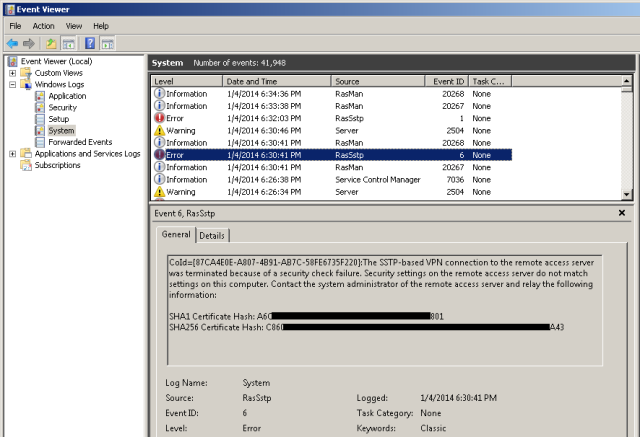
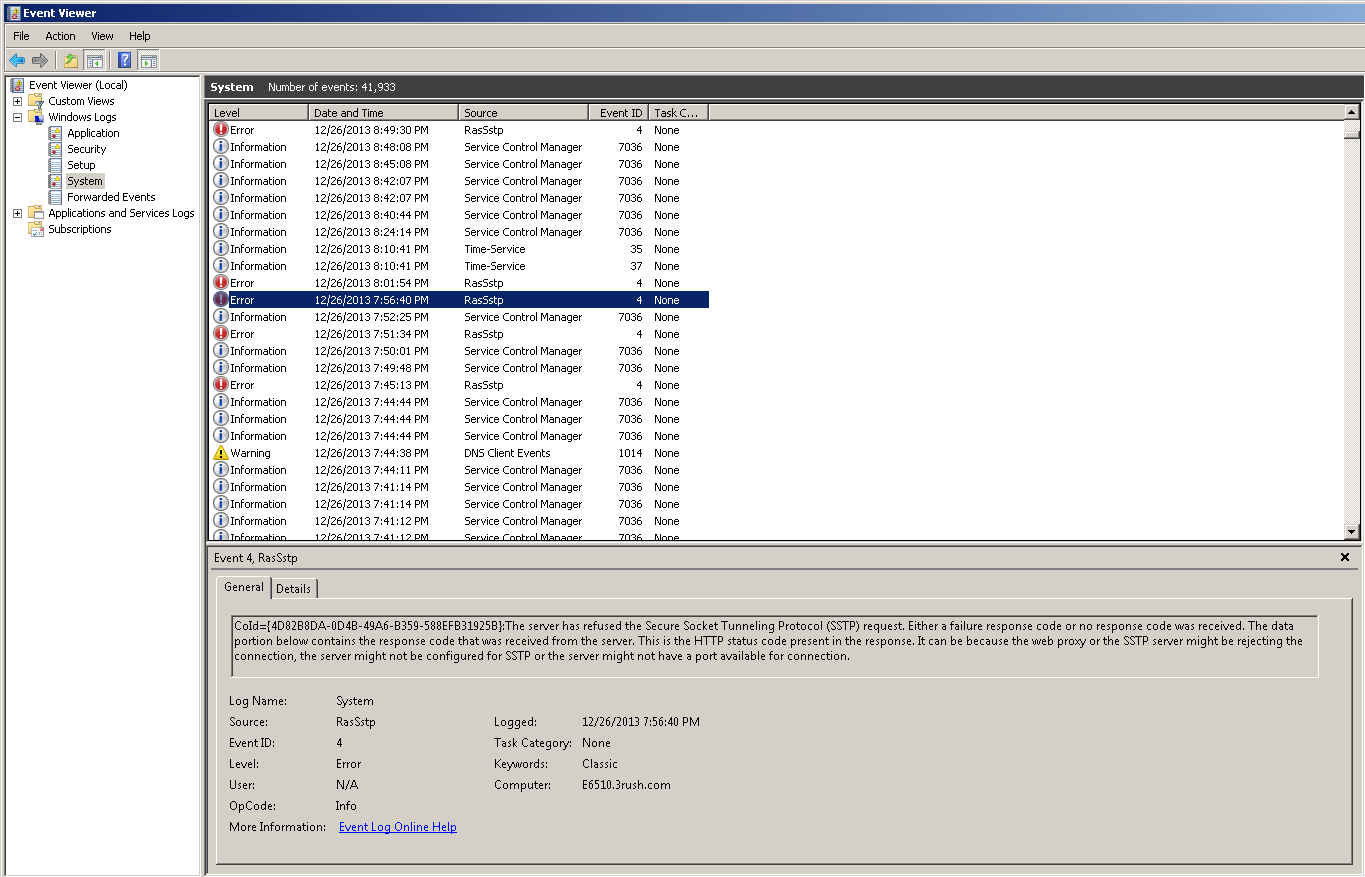
But alas I've tried every trick under the sun ending with this article. (Scroll down to the Wed, 29 July 2009 13:46 entry) The fun errors were:
Then I remember that there was a new beta Outlook Connector for Office 2010. I figured I'd give it a try on my Outlook 2007 client. What did I have to lose?
Allow me to be perhaps the first to tell you IT WORKS! So stop fussing with the one that's supposed to work and download the newer beta here (be sure to choose the 32 bit version as the 64 doesn't work on 2007, even with a 64 bit OS (I know, I tried already)).
hth! Dustin August 26 How to Disable - Show in Groups - for OutlookGreetings!
Today when I had some spare time, I decided to tackle an Outlook issue that was annoying me. I couldn't "disable" the Show In Groups feature in Outlook globally (or so I thought). I thought I had to perform it on every individual folder. I was wrong and this article showed me how to do it. But I thought the instructions were a bit confusing so i wanted to post what I did with appropriate screenshots. Since I'm a visual learner, this is for those of you who are too
Step 1: Make sure Outlook is closed and go to Start--->Run
Step 2: Type "outlook.exe /cleanviews" without the quotes:
Note, if that doesn't work, then that directory isn't in your PATH variable. You can open a command prompt, navigate to the directory and run the same command. Step 3: Once Outlook opens, go to View-->Current View-->Define Views: Step 4: Click Modify:
Step 5: Click Group By:
Step 6a: Deselect the checkbox "Automatically group according to arrangement" and click OK:
Step 7: Click Apply View and Close:
At this point, Outlook should have done something in the background and now all of your folders will have the "show in groups" removed. That was a lot easier than scripting!
See you next time! Take Care>>>Dustin July 12 CARFAX or Autocheck & Carfax *hidden* discount - How ToSo I've been looking for used cars lately to replace a 2001 Accord that has 255,000 miles and have found a few I like (the 2001 still runs great btw but is getting tired
In one example lookup, Autocheck found 5 records. Carfax found 11 records. Another check on a different VIN revealed similar discrepancies. So I've made up my mind to use Carfax. BUT, they want $40 for unlimited records for 30 days. I remembered seeing a promotion at some point, but couldn't remember where I've seen it. Then it dawned on me.
I'm a AAA member and I went to the AAA website. Logged in and searched for Carfax. Sure enough, there's a little hidden link which opens up a new window and allows you to buy unlimited for $30.00 instead of $40.00.
I love finding deals like that as it truly provides value. Since I'm going to look up about 15 or so cars, $2/each is a bargain. Plus Carfax email's you the information for your records. Not that it's good for any amount of time (unless the car you're looking at is still for sale months later) but it's nice to be able to search email for it.
So if you're a member of AAA and need to use Carfax....and want to save $10, then you now know the trick.
Take Care>>>Dustin June 12 Exchange 2010 - Get ready for NLB and DAGI just recently came back from New York attending an E14 Ignite training. I wanted to post some comments on what I saw (that hopefully do not break any NDA rules). Here goes:
1. There is an even heavier reliance on the CAS server role than before. This means that all mailbox communication regardless of client with pass through the CAS server....that even includes Outlook over MAPI. It was news to me too
2. Microsoft's new HA/FT feature is called DAG or "Database Availability Group". This has some promise and worked swimmingly in the labs we performed. You can see more about this here:
I'll be setting up a lab environment in the near future to really wring out the beta product and report back on things I've found that work, don't work, or are just plain silly.
Take Care>>>Dustin May 17 Where in the world is Kernrate.exe for AMD64 / x64?Recently, I was doing something that made the NTOSKRNL a little angry. I was backing up a large amount of data (400GB) from a USB drive to a SATA drive array. I started this backup at night and, at first, the speed of the copy was about 10MB per second. When I woke up the next day, it was still copying and the speed dropped anywhere from 1MB to 4MB per second. To discern why, I opened up Process Explorer to have a look:
At this point, I got the properties of the System Process which yielded this:
This didn't tell me much so I took to choosing the "Stack" button to see what was transpiring. But, whoops, that didn't work as evidenced by the error below: This perplexed me so I took a look at an article I remembered being written by Mark Russinovich which can be found here. Sure enough I found the reason: "The System process is a special type of process on Vista '(and evidently XP x64)' called a “protected process” that doesn’t allow any access to its threads or memory. Protected processes were introduced to support Digital Rights Management (DRM) so that hi-definition content providers can store content encryption keys with a reduced risk of an administrative user using DRM-stripping tools to reach into the process and read the keys." So with that problem in place I decided to take Mark's lead and pull out the Kernrate tool. It can be found here but be WARNED - it does NOT work on x64 versions. (Hence the title of this blog) It will look like it works, but because it runs in the WOW64, it doesn't really have access to those kernel level functions as evidenced here:
I went to the MSDN site and downloaded the DDKs and WDKs for Server 2003 based on this post (which at the time seemed meaningful and worthwhile). However, I didn't find what was stated so I decided to use the "chat" feature of my MSDN subscription. I interacted with a polite and helpful person named Kimi, but ultimately our joint venture in finding the right version of Kernrate was not productive. Fortunately, I also found this post where "Steve" (someone who commented at the bottom) stated the Kernrate tool for amd64 or x64 could be used. So I ended up downloading the Server 2008 WDK which can be found here and installed just the help docs and tools (I did not install the samples since I'm not a programmer). Low and behold, I directed my command prompt to the C:\WinDDK\6001.18001\tools\other\amd64 directory and then ran Kernrate (without any arguments). I received a bunch of date, but most importantly, I got a listing of the modules that were taking up resources:
Now I'm going to go on and figure out why the performance is so terrible after a few hours of copying. But at least now you know where to get the Kernrate.exe utility for x64 and amd64 systems. Take Care>>>Dustin March 01 Reordering Remote Desktop MSCI've always wanted to be able to reorder the Remote Desktop MSC information using the snap in provided with the ADMINPAK.MSI. This thread from Experts Exchange appears to explain how to do it:
Thanks to the three folks that have provided feedback on it:
1. graye
2. Eagle6990
3. KaiserSose
Here is the info in case you don't have a login to Experts Exchange:
-------------------------------
The MMC console is just a text-based XML file. You can bring it up in notepad and edit the labels.
There usually is a <StringTable> section that contains the names items that you initially entered when you created the *.msc file. As for reordering the entries... that takes a bit more work... each entry is probably in a <node ID=??> section. You'd have to cut and paste those entire sections (to get them in the order you want) and then renumber their IDs. Haven't tried it myself, but it should work. -------------------------------
I have yet to find a way to re-order a MSC file. I'm currently playing around with editing it in Notepad but I don't understand everything in there.
I was able to rename "Remote Desktops" to a new string by editing my console with Notepad and modifying the line <String ID="8" Refs="1">Remote Desktops</String> but it might use this same string for all of your RD Snap-ins. Trying viewing your console with Notepad and see how many instances of "Remote Desktops" are in the file. --------------------------------
You were both right. The string table contains one string entry for all of the snap-ins. However, I was able to create my own like so:
<String ID="10" Refs="1">Test1</String> <String ID="11" Refs="1">Test2</String> <String ID="12" Refs="1">Test3</String> <String ID="13" Refs="1">Test4</String> <String ID="14" Refs="1">Test5</String> <String ID="15" Refs="1">Test6</String> I then associated each <node> with one of my strings: <String Name="Name" ID="10"/> I re-ordered the nodes just by moving each one in the xml order and that worked for the snap-ins. I still have yet to find a way to re-order each connection. That probably lies inside of the big binary blocks. --------------------------------- I just cut the whole <node>....</node> block and moved it to the order that I liked. I never touched the ID numbers because I noticed that they weren't in order already. Most of them were, but because I had not added all of my snap-ins at the same time they were ordered 2, 3, 4, 5, 33, 34.
I hope this helps! Take Care>>>Dustin Create a private network behind ISA using Server 2008 as a simple routerSometimes necessity is the mother of invention. In this case, it was not invention that transpired, but configuration of something I knew about, but hadn't done before. Please see the diagram below:
In this diagram, we have a 2 legged Server 2008 box with 2 NICs (in my case this is a VM with 2 vNICs attached). The NIC config is as follows: NIC2 NIC3 (Optional) So now we need to make our Server 2008 box (VM) function as a router and make sure we're not doing anything else except "LAN Routing". For a step by step on how to do this, please follow this article: Additional Configuration The preceding article does a good job on telling you how to install the feature. However, it doesn't really tell you how to configure anything else like IP's, gateways, static routes, etc. Note the conspicous absence of that information Here's what one needs to do to get a client on 10.10.11.x (not the server 2008 router) to have access to the internet: Once that's working, you can remove the persistent route by typing: 4. Now we need to turn our attention to the ISA Server and it's internal network. On the internal network here, the 10.10.10.x network is considered internal and anyone on the internal network can get to anyone on the internal network. The first thing we need to do is add a persistent route to the ISA Server so it knows where to route the packets destined for the 10.10.11.x network. We use the same command as above...be sure to make it persistent (-p): Next, we need to modify the ISA Internal network and add the 10.10.11.0 network to the "internal network list": 5. Once that's completed, apply the change to ISA then open a command prompt: 6. Assuming all of your pings have worked, you should now have full internet access from a private network using Server 2008 as a simple router. 7. If you want to add a 3rd NIC to the Server 2008 router, just repeat all the steps substituting for the configuration changes and you should be good to go. I hope this has helped! February 24 Videos and articles I've published to dateHi Folks!
I've done a podcast and an article for Tech Target talking about virtualizing Exchange. It's a few months old now but generally still applicable. Here they are:
Article:
Scroll down to Page 18
Podcast:
Take care>>>Dustin November 25 Windows Installer woes - Updates no longer workSo you've accidentally delete the "stuff" that is in your %windir%\installer directory (or some utility "freed up some space". Now your WindowsUpdate doesn't work for some items no matter what you do. You've followed all the technet articles that you could find. No dice.
We'll you've come to the right place. I can help. You must be ready to go through some hoops but nothing too complicated. Here, I'll explain what is confusing and what you can do to solve the problem complete with screen shots using an example.
If you look in your %windir%\installer directory, you'll probably see tons of files named some cryptic alphanumeric sequence like 448e39.msi or fcdd818.msp.
If you download a Microsoft update and extract it manually [ your standard installation has failed if you're reading this article :>) ] you'll see something like "WORDCONV.MSP" or "OUTLOOK.MSP" as one of the files extracted. Note that this could be any .MSP file. The trick here is that the extracted MSP file needs to be renamed to it's corresponding alphanumeric equivalent. Now I know what you're thinking....how the heck to I figure that out?
Keep reading....I'll tell you
We have to rerun the setup that failed previously...but we need to do it differently...we need to enable logging. This will give us the proper corresponding alphanumeric value to rename the MSP file. Here's how:
1. Let's say you are having a problem with KB952142. First you need to manually download it. Let's put it on your desktop in a directory called KB952142.
2. Once it's there, we'll see a file called outlook2007-kb952142-fullfile-x86-glb.exe.
3. Open a command prompt and put the focus on the KB952142 directory so your command prompt looks like this "C:\Documents and Settings\dplema\Desktop\KB952142"
4. Next type in the following command. It will enable logging and create a log file in the directory KB952142:
At the command prompt type outlook2007-kb952142-fullfile-x86-glb.exe /log:"c:\documents and settings\dplema\desktop\kb952142\kb952142log.txt"
5. Open the smaller log file that is not the EULA (in this instance it is named "outlook_MSPLOG.LOG"). Here's the trick....so a search for 2203 or -2147287038. You'll see in that line of logfile the name you need. In this case it's called 6aa9fd9f.msp
6. OK, now you're thinking "great....but who cares". So you have to do something else.
7. At the same command prompt, type outlook2007-kb952142-fullfile-x86-glb.exe /extract then put the extracted contents in your KB952142 directory. You should see the file called "outlook.msp.
8. Rename that "outlook.msp" to the name you found near the 2203 error....in this case, 6aa9fd9f.msp.
9. Copy that newly rename file into your %windir%\installer directory.
10. Then rerun the commmand you typed in from #4 above (or you can just double click the installer). Your installation should work at this point.
And your log file that you used before should be much bigger!
11. Rinse, lather and repeat with your other failed updates.
Cheers! Dustin November 05 Hyperlinks - Outlook Word Excel - Where are they?I've been wondering why my hyperlinks in Outlook 2007 haven't been working lately. I will illustrate my problem before explaining the solution to the problem.
So what are you to do and where can you solve the problem? Well you've come to the right place. Here's what to do to solve the problem: 1. Open Outlook (for example) and select "Tools>>>Options" 2. Then select "Mail Format>>>Editor Options" 3. Then select "Proofing>>>AutoCorrect Options" 4. Then select "Autoformat as you type>>>Internet and network paths with hyperlinks"
I hope this helps you figure out why your automatic hyperlink creation was not working. Look for the similar option in Microsoft Word if you're having problems there! Take Care>>>Dustin September 17 VIrtualizing Exchange "Expert Chat"Just released, here's the link. This is a TechTarget interview I did discussing the pros and cons of virtualizing Exchange. It also delves into some of the new Hyper-V stuff, though only a little.
Take Care>>>Dustin September 14 DPM installation snafu with WMI errorGreetings All!
I recently had a small snafu when trying to install a test version of DPM 2007 onto a Server 2008 x64 server. I ran into an Error 820 which basically said that I needed to start WMI. But this was not true because WMI was already started.
In the oldest traditions of Microsoft not giving great error messages with which to go by, I did some other reconnaissance and found something that might lead me to the promised land. DPM evidently uses older IIS 6 stuff under the hood. Since this was a clean build of Server 2008 x64, and since I manually installed IIS 7, I did not select any "backward compatible" components of IIS. As such, I installed the following additional components:
1. IIS 6 Management Compatibility
2. IIS 6 Metabase Compatibility
3. IIS 6 WMI Compatibility
Selecting these backwards compatible pieces allowed the installation of DPM to start working as expected. If you run into this problem, hopefully, this blog will help you get by the issue faster than it took me to figure it out!
You may be thinking "why do I need metabase compatibility"? I tried the installation with only selecting the WMI compatibility (seeing as the error was a WMI error), but alas that did not work on its own. The incompleteness of the Microsoft error had me try more compatibility measures which finally included the Metabase piece.....and thus success.
Take Care>>>Dustin August 13 Configuring Mozy for faster uploadIt's been a while since I've posted as I've been busier than...well, you get the picture. Lately I've been using Carbonite and Mozy and in the future I'll be performing a comparison between the two. In this post however, I'll just speak to Mozy and talk about changing some configuration settings to make uploading your data faster.
OK, I was searching for the regkey to modify as the GUI doesn't give you this configuration capability. Lately I've been working at a place with a killer Internet pipe. The default Mozy capped upload speed is 1Mb. But at the place where I am working, it could easily scale above 45Mb and I think it's going to 1Gb Internet pipe very soon. In any event, I was looking to boost the upload speed. Here's how:
1. Open Regedit and perform a CTRL-F and search for "speedcap". It should be the second entry you find. Alternatively, drill down to "HKLM\Software\Mozy\Options" and find the speed cap key.
2. You'll notice that it's set for "1048576". This limits the upload to 1Mb. I've changed it to "8388608" to get up to an 8Mb upload.
3. I've also change the following entry to enable "Network Drive Support": "networksharesupport" changed to "1"
4. As a test, I also enabled "vssbackupsetsupport" (to 1) in hopes that VSS is used instead of the default "retriculating splines" method.
Since I've made these changes, I saw a peak upload speed of 5.4Mb on the client side of Mozy. However, I was unable to access my "P" drive. I haven't rebooted so I'll try that later. I also noticed that the VSS service was not in use....again, I'll try the reboot and post back later.
Take Care>>>Dustin June 25 VMware and NIC Teaming and EtherchannelingOK, listen up!
1. VMware ESX 3.5 does NOT care about your NICS from a vSwitch perspective....that is, you can mix and match Broadcoms and Intel's to your hearts content.
2. Cisco DOES care about your NICS from an Etherchanneling perspective. You can only Etherchannel ONE BRAND per port group. If you have any questions, comment or shoot me an email.
There is not a lot out there with respect to VMware teaming (vSwitch) and Etherchanneling. I've found out the tricks and now have a 10 host (Dell R900's) working swimmingly!
Take Care>>>Dustin June 04 Doing my first webcast...I just found out today that I'll be doing my first webcast near the end of June. I'll post back when it's live. The webcast will be based on the article I wrote (see previous blog entry). I'll have a chance to set the record straight June 02 My first published article - and it got butchered :>)Well, the article I wrote in the middle of April for TechTarget finally got published. They cut the article I wrote pretty heavily. Worse, they added an item that I did not write. Here's a link to the article:
They have in there on page 18 that "CAS" means "Central Authentication Service" which of course is ridiculous. CAS really means "Client Access Server". In my final document sent to the publisher, I did not define "CAS". I figured the audience of the article would know what that acronym meant. If they did not know beforehand, now they really don't know what it means
The fastest way I can make a correction is on my blog May 27 VMware TrainingAn unbelievable time was had by our two "teams" at the VMware training.
If you can imagine 31 VMs running processor stress tools then you can start to get a flavor of what we were up to.
We had this going on for 36 hours straight averaging 97% processor utilization and 90% ram utilization. We didn't bother measuring the disk latency which I'm sure was unacceptable, but that didn't matter. VMware performed flawlessly. At one point, we tried to PSOD (Purple screen of death) one of the hosts. We couldn't do it. However, we were able to choke the system(s) into submission. One of our team (Dana) implemented a known linux command to chew up all the ram remaining on the box. It just put the system into a "hung" state.
Very cool test that some may not have ever tried. It's also something to consider when designing a failover/HA scenario. Here's a pic of the crew that shared in this technology killing session
May 14 Setting Audit DS Categories - Server 2008After battering my head against the wall trying to figure out how to configure the auditing for new Directory Service subcategories I've come to a realization. You Can't Do It Through The GUI.
To actually set the audit policy categories you need to use the tool called "Auditpol.exe". Perhaps in a later blog I'll go into detail on how to use it in the real world to configure it.
Take Care>>>Dustin Test 1st post
This is a test to see if blogging functionality works. |
|
||||
|
|